← BACKOVERVIEWCONTEXTPROBLEM STATEMENTDESIGN SYSTEMITERATINGFLEXIBLE DESIGNCHALLENGESIMPACTMY TAKEAWAYS

Transforming Legacy Banking Software

THE DESIGN OF A SPECULATIVE NEW SOFTWARE FOR CASH HANDLING UNITS.
jump to my takeaways ↓
ROLE
Product Design Intern
TOOLS/SKILLS
Wireframing
Design Systems
Figma
TEAM
1 Product Designer
2 Software Engineers
1 Project Manager
1 Product Design Intern - Me :)
TIMELINE
May 2025 (2 weeks)
(My involvement in the project.)
**Please note that aspects of the project have been removed and/or changed due to my NDA. If you would like to learn more about this project, please feel free to reach out.**
OVERVIEW
During my internship at Kyndryl, I worked alongside the product design team, software engineers, and a PM to create a speculative reimagination of the software experience used by bank employees to operate cash recycling and dispensing machines.
CONTEXT

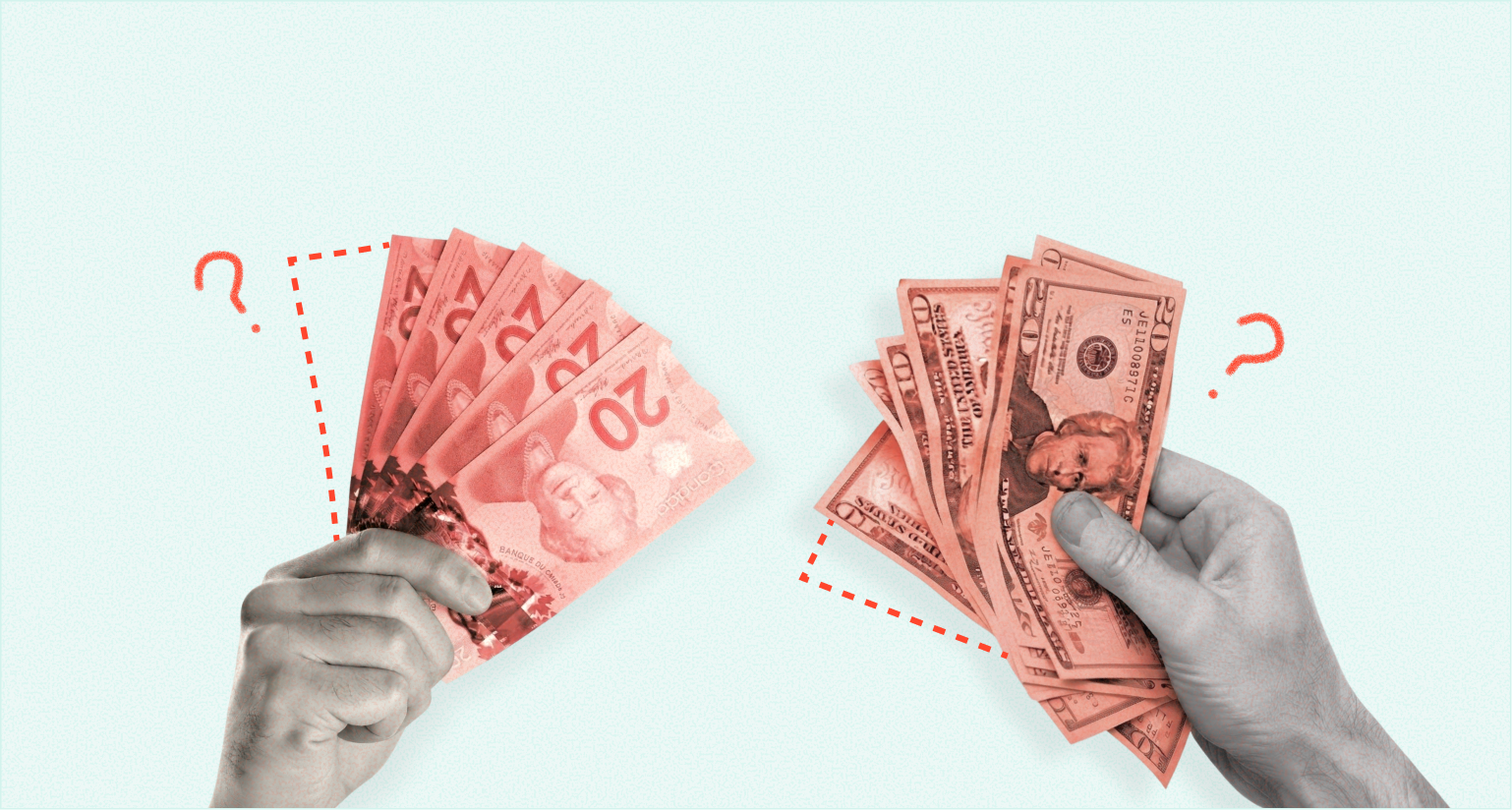
What happens when someone goes to the bank and asks to withdraw, deposit, or exchange cash? 

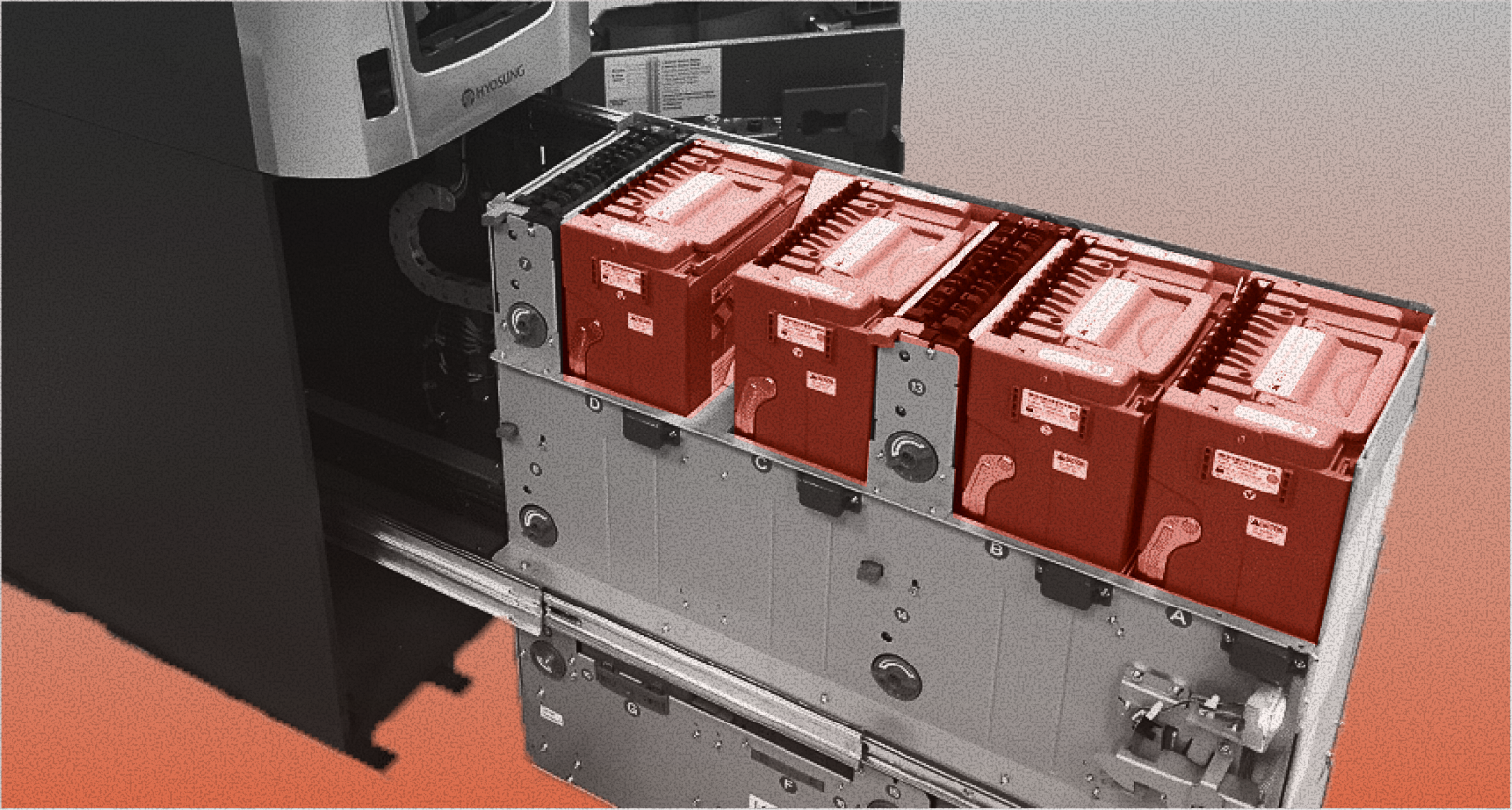
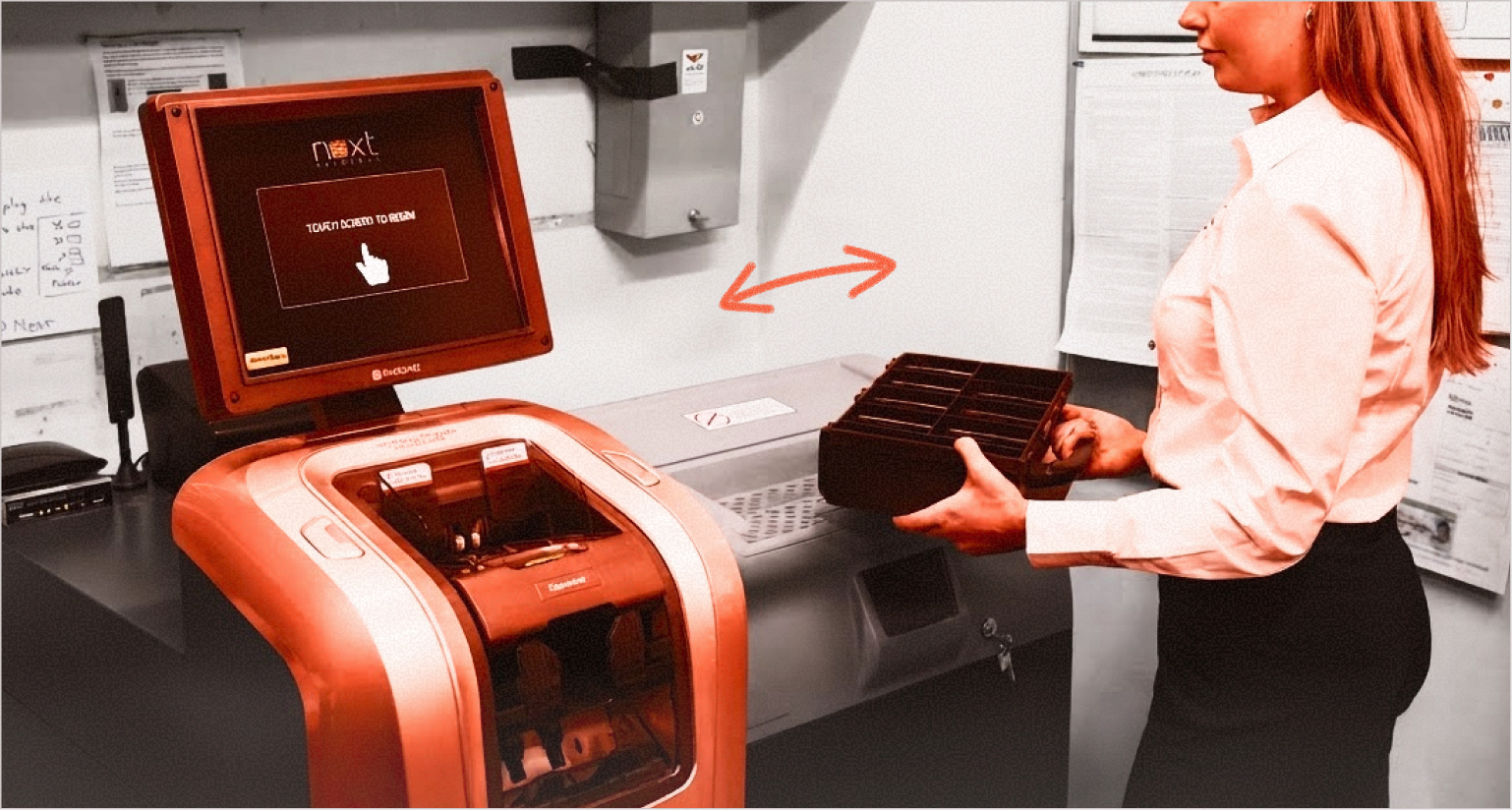
Bank tellers and other staff interact with machines, such as cash recycling units and cash dispensing machines, to perform these critical banking operations. These machines hold different containers, called either cassettes or drumbs, that hold the various cash denominations and currency types.
CHALLENGE

Our challenge was to reimagine a modernized software for bank staff to perform these critical banking tasks.  

**Further information redacted due to NDA.**
PROBLEM STATEMENT

How can we redesign a new cash operation software that enhances banking staff efficiency and accommodates different user types?

DESIGN SYSTEM

I supported the creation of a new design library of reusable components from 0 → 1.

Since this was a total redesign, taking none of the designs of the past products into account, I aided the creation of a new component library to keep our redesign consistent and organized.

Designing systematically.

Tktktk

Creating a design system.

Tktktk
ITERATING

What is the best way to support quick actions for how bank tellers actually complete their work?

While designing the bank tellers’ dashboard, I was aiming to create the most efficient way for bank tellers to start their various types of transactions with customers.

Below are just some of the many design iterations that I worked on.
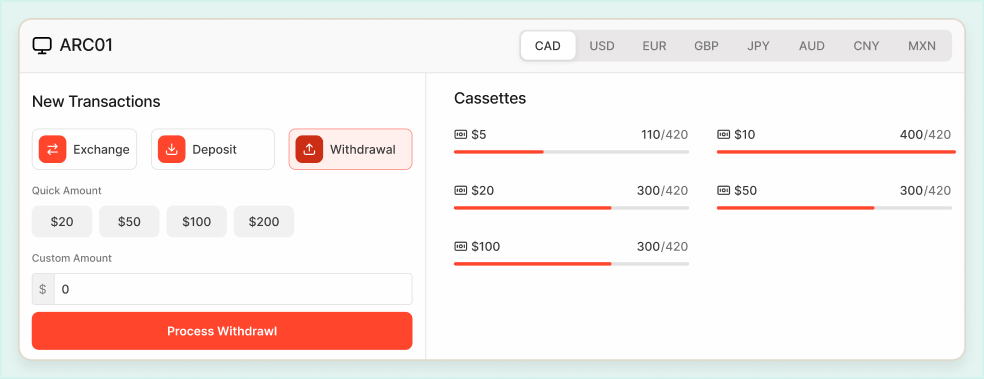
ITERATION 1 | QUICK ACTIONS
‘Quick Amount’ added for faster transactions
‘Quick Amount’ fails because bank staff require more information to complete transactions
Does not scale easily for a multi-machine view
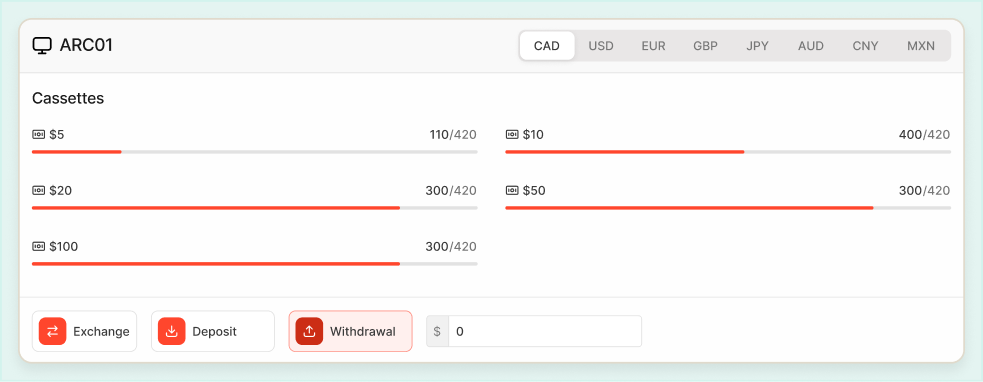
ITERATION 2 | SIMPLIFIED QUANITITY ENTRY
Actions minimized with ‘Quick Amount’ removed
A lot of wasted space
Fails when there are mutli-directional actions

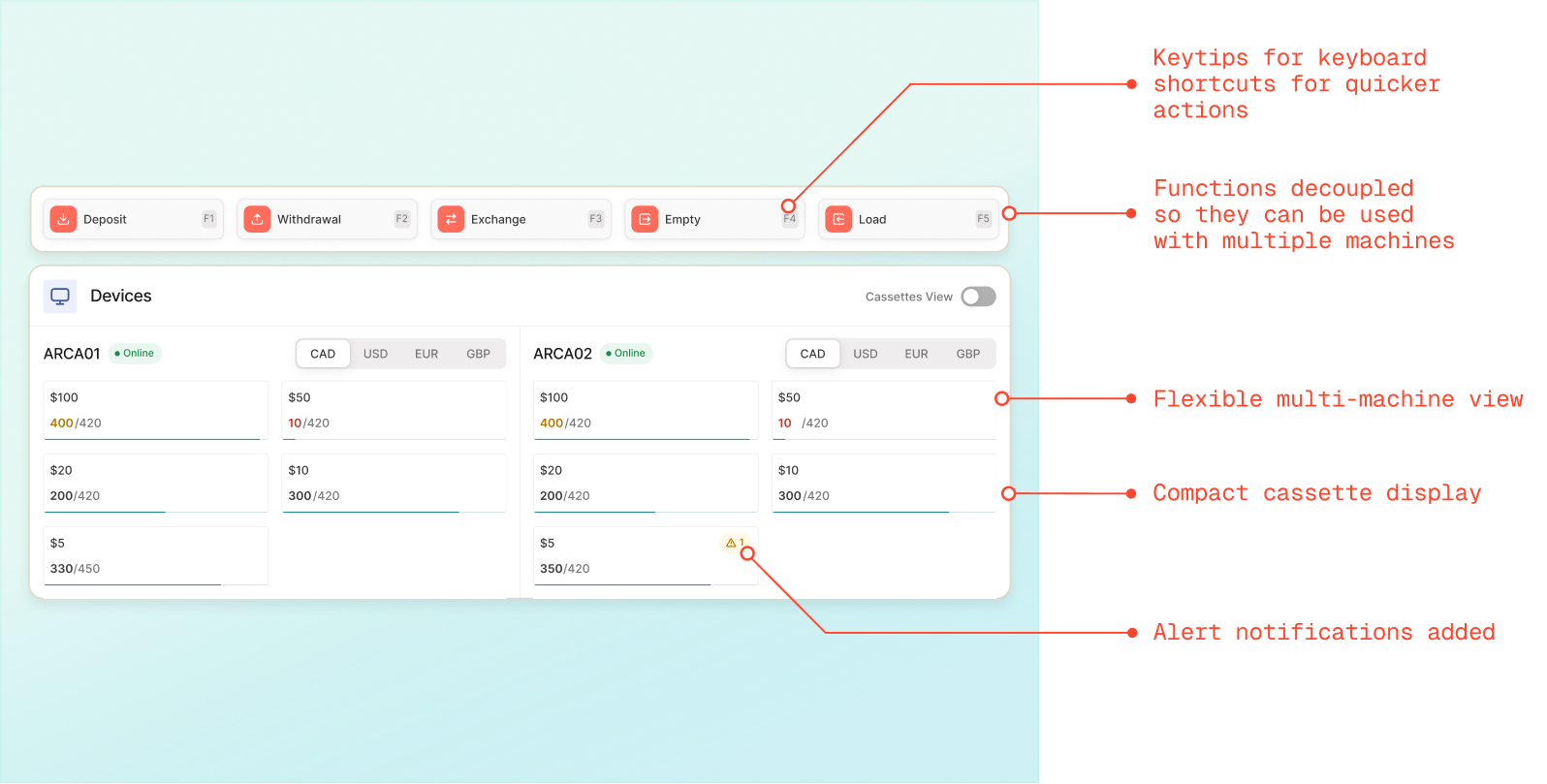
The best solution was actually a decoupling of the actions from a multi-machine view.

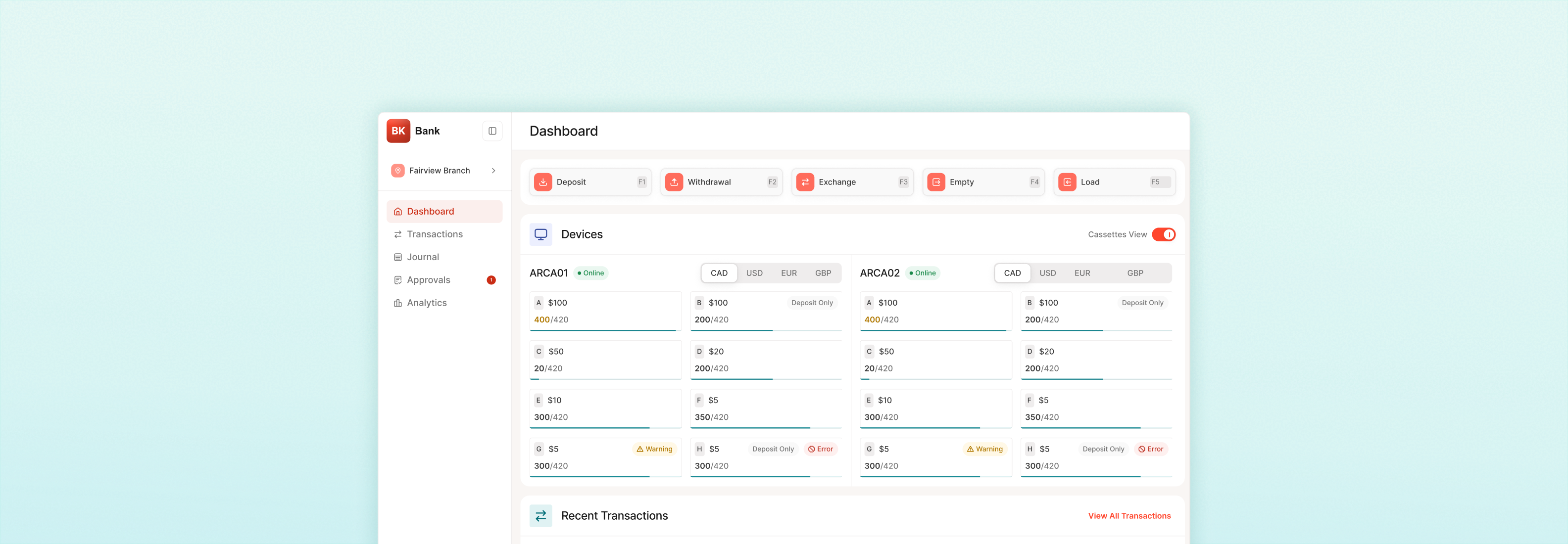
FINAL DESIGN | DECOUPLED DISPLAY
A decoupling of the functions that can be performed from the machine views allows both of them to scale separately based on functions a teller might like to see in their dashboard and how many machines the bank is operating without compromising the UI design of either.  

This iteration is also aligned with how bank staff actually work quicker, which is through keyboard shortcuts—labeled through keytips to help users faster recognize vs. recall these functions.
FLEXIBLE DESIGN

Designing a flexible system to accommodate different user permissions.

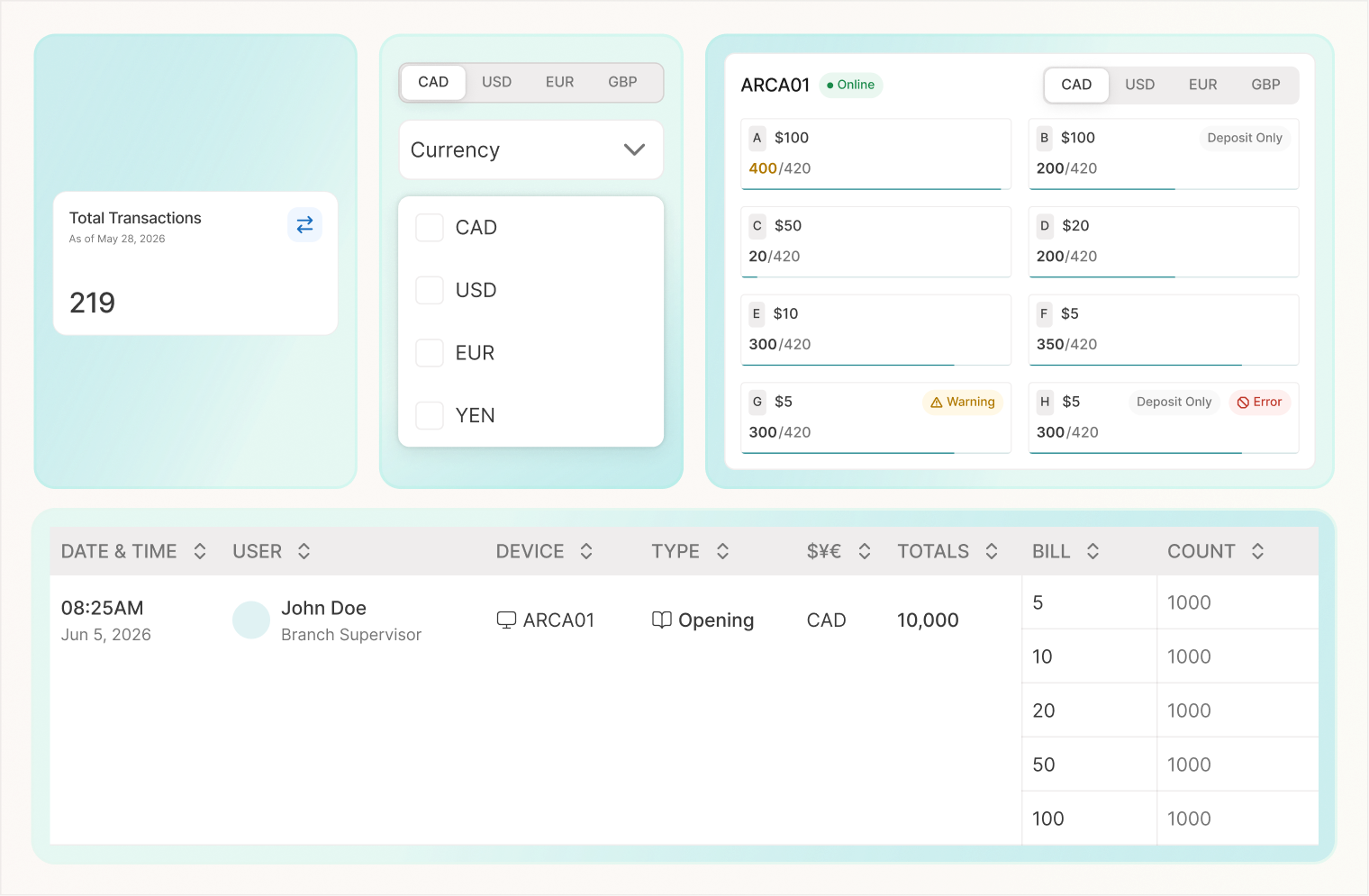
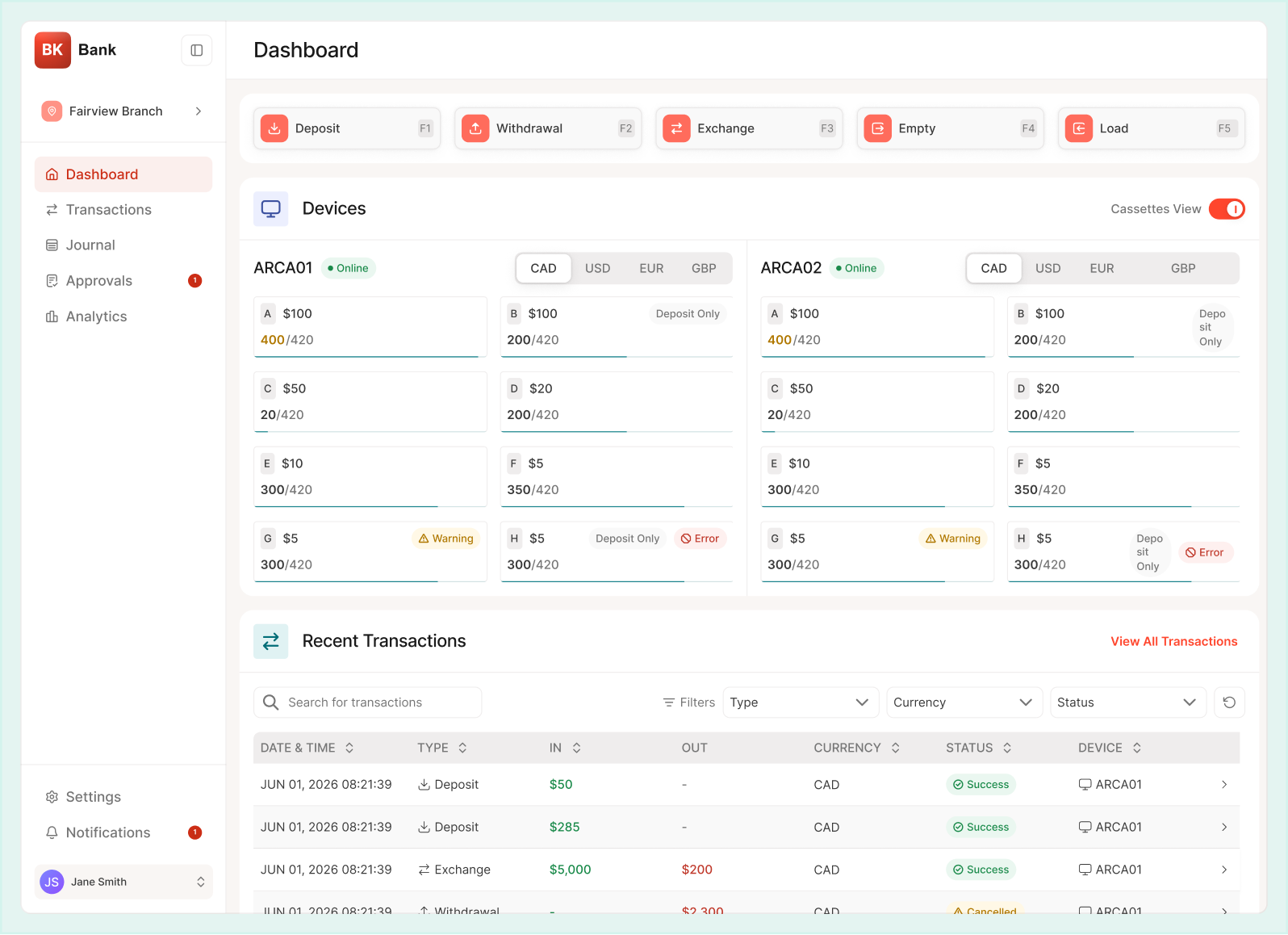
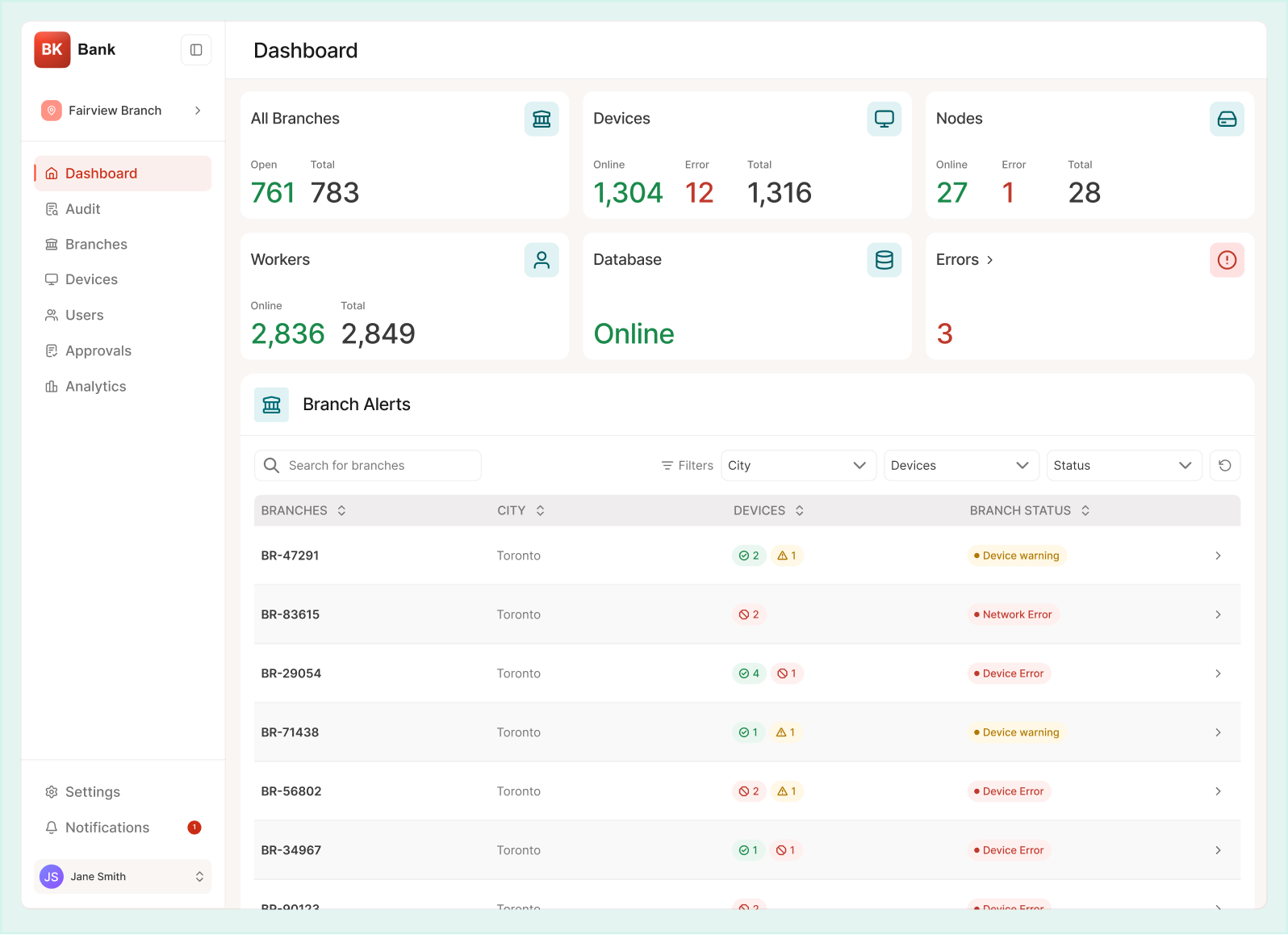
The layouts used a modular “bento box” structure, with interchangeable containers that could be tailored to different roles within the banking institution.

Since bank tellers, managers, and administrators each have different levels of access and information priorities, the interface could adapt to surface the tools and content most relevant to each user.

As per the example below, a bank teller would be more focused on completing transactions, understanding the cash machines in their branch, and recent transactions. A bank administrator would be more concerned with how the banking system and infrastructure are working as a whole.
DASHBOARD VIEW | BANK TELLER
DASHBOARD VIEW | BANK ADMINISTRATOR

Designing systematically.

Tktktk

Creating a design system.

Tktktk
CHALLENGES

Prior to working at Kyndryl, I had never heard of these machines, let alone considered how a user might interact with them!

Being put on this project helped me learn how to quickly adjust to a new context, ask the right questions, and iterate quickly, in high fidelity, based on feedback.

While at Kyndryl, I also had the privilege of visiting our lab, where I got to see how the machines operate in person.

Designing systematically.

Tktktk

Creating a design system.

Tktktk
IMPACT

The new software design was successfully handed back to the developers and has been presented as a proof of concept.

MY TAKEAWAYS

I learned so much from my first product design internship!⋆.˚˖࿔ ࣪

Designing for scale.
Design goes much beyond what is immediately visible on the screen. Designers have to think about what might happen if the system grows, encounters errors, breaks, etc.
B2B vs. B2C products
Worker efficiency and potential buying clients' priorities are important when designing B2B products. It is also important to consider potential challenges users might face when heavily using the product day after day.